We use Smartphones for almost all purposes now. From communication to work, education, and entertainment, these tiny gadgets seem indispensable. Yet, we all encounter a similar problem, a low battery. If you ever faced your Smartphone going dead in the middle of an important call or while you were travelling, you would know the frustration it causes.
Luckily, you don’t necessarily need a new phone or a replacement battery for extended life. A few simple changes in the phone’s settings and your daily activities will often go a long way.
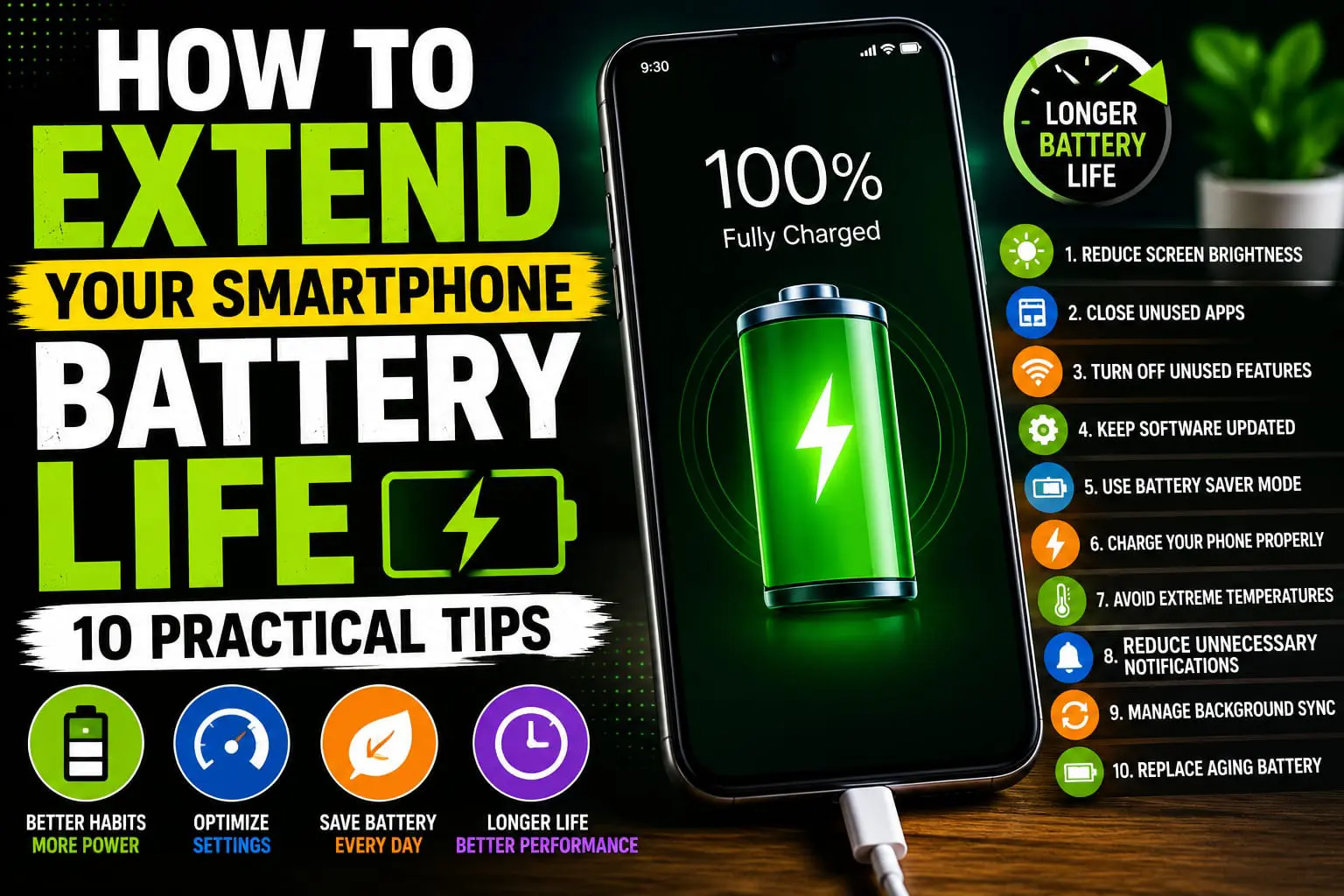
Here’s some practical tips that you can easily incorporate that may just save your phone’s battery life while keeping it running efficiently.
1. Reduce Screen Brightness
5. Screen – The biggest power consumption device of your smartphone. Don’t keep brightness more than the required, it drains the battery faster.
Turn on auto-bright, or just turn the brightness down to a level that’s comfortable for your eyes whenever you can. Using dark mode if your screen is an OLED may even save some power.
Simple Display Tips
- Enable Adaptive Brightness.
- Use Dark Mode when available.
- Reduce screen timeout duration.
- Avoid maximum brightness indoors.
2. Close Apps You Don’t Need
The issue in question is an app which is running in the background. Certain apps tend to continue to run when they are not in use and consume battery power, mobile data and use your device’s system resources.
Check your apps from time to time, and uninstall or quit the ones that are rarely opened, or just reduce their background processes to minimum for applications that don’t require frequent update.
3. Turn Off Unused Features
Bluetooth, GPS, Wi-Fi, NFC etc all consume power and may not even need to be on all the time.
Turn off when not in use. Turn Bluetooth off when you’re done connecting Bluetooth earbuds or turn off GPS when not in use while riding your bicycle.
4. Keep Your Software Updated
Manufacturers frequently roll out software updates that include fixes for bugs, performance enhancement, as well as battery performance updates.
Regularly install the latest updates for the OS in order to take advantage of improved speed and battery-life performance for your device.
- Update your operating system regularly.
- Keep apps updated.
- Install only trusted applications.
- Restart your phone occasionally.
5. Use Battery Saver Mode
If your smartphone was made anytime after 2007, chances are there’s an integrated “Battery Saver” or “Power Saving” mode. This feature helps you conserve power by slowing down the device and restricting operations such as notifications and visual animations in the background.
Turn on Battery saver when you’re low on power, or know you won’t have access to power for a long time.
Benefits of Battery Saver Mode
- Reduces background activity.
- Lowers power consumption.
- Extends battery life during emergencies.
- Optimizes system performance.
6. Charge Your Phone Properly
Best Charging Practices to Help Your Battery Last While charging behaviors can affect your battery’s overall lifespan, lithium-ion batteries (common in most of our devices) can be degraded over time if they’re allowed to be consistently drained to zero or fully charged and remain in that state for extended periods of time.
For most people, experts say to try to keep their battery charge between 20% and 80% at any given time.
7. Avoid Extreme Temperatures
Even excessive temperature – high or low – can degrade the performance of a phone’s battery and eventually cut down on the device’s overall battery life.
Your mobile phone also should not be exposed to strong sunlight for too long. In summer, do not leave your phone on car dashboards and never for too long. Likewise, it is advisable not to expose your mobile phone for too long to freezing temperatures.
Temperature Tips
- Avoid charging in direct sunlight.
- Remove thick cases if the phone becomes unusually hot while charging.
- Allow the phone to cool before charging after intensive gaming or recording videos.
8. Reduce Unnecessary Notifications
If you’ve had hundreds of apps in your notification list just today, each of those notifications turned on your screen, wake your operating system, and drains some of your battery.
Review alert preferences and disable them for unimportant apps. This also reduces distractions during the day
9. Manage Background Sync
If that’s a worry for you, many apps can keep sync up with your emails, photos, contacts, and more while you’re away from your phone. Background syncing is a helpful feature to ensure your data is current, but it could drain your battery if left running all day.
Check your phone settings and turn off background syncing for applications that you don’t really need in real time to keep track of data. Keeping only applications you consider essential synced can make your battery last a lot longer.
10. Replace an Aging Battery When Necessary
Rechargeable batteries slowly deteriorate and weaken. So if you have a smartphone which is several years old and is draining exceptionally fast and the habits that I have mentioned in this article doesn’t make any difference, then perhaps the issue is the phone battery and it needs replacement.
Many of your phone’s original battery life can be restored by using a genuine replacement battery, installed by a certified professional.
Frequently Asked Questions
Does fast charging damage a smartphone battery?
Modern Smartphones can be charged fast in a secure way. However, to ensure the longevity of the battery, one should always use the original charging set.
Should I charge my phone overnight?
With nearly every smartphone in the market, your phone automatically turns off charging after its battery has reached maximum capacity. Still, leaving the phone plugged into your charger every night for years may gradually harm the battery life. But in modern smartphones, a number of tools like optimized charging or adaptive charging helps mitigate the damages.
Does Dark Mode save battery?
Yeah, that’s true with OLED or AMOLED phone displays, and Dark Mode does indeed consume less battery because the black pixels don’t take any power. But it’s not that pronounced on LCD screens.
How often should I restart my phone?
How many times do you usually restart your phone? The most common frequency for rebooting your smartphone is once every few days to allow background applications to be closed and prevent them from impacting on your smartphone’s efficiency and avoid tiny software glitches from interfering in your normal routine.
Conclusion
It isn’t too difficult to extend battery life of your smartphone. And the good news is that it doesn’t necessarily need expensive accessories or complex methods. All it requires is changing your day-to-day habits to manage your battery effectively.
These are practices to use constantly to get more battery life, greater efficiency, and the longer life from your battery for your whole device!
Key Takeaways
- Lower Screen Brightness and use Adaptive Brightness.
- Close unneeded apps and cut background usage
- Turn off any unused features such as GPS and Bluetooth.
- Make sure your phone and all your apps are up-to-date.
- If it appears necessary, turn batterysaver mode on.
- Make sure to practice proper charging techniques.
- Don’t let your phone get too hot.
- Replace an aged battery if battery power has substantially decreased.